
My Wealth includes a local AI assistant
The philosophy behind My Wealth rests on two essential principles: local-first operation and protecting your privacy. Your wealth portfolio is not stored in the cloud, and your data remains yours.
The .mywealth file format was also designed to remain simple and durable: in the future, your data will still be usable even if you decide to stop using My Wealth.
Local AI is a natural extension of this philosophy. The artificial intelligence runs directly on your computer and can access information about your wealth without transmitting it over the Internet: everything stays local.
This assistant is included in My Wealth for Windows starting with version 1.6.
What is a local AI assistant for?
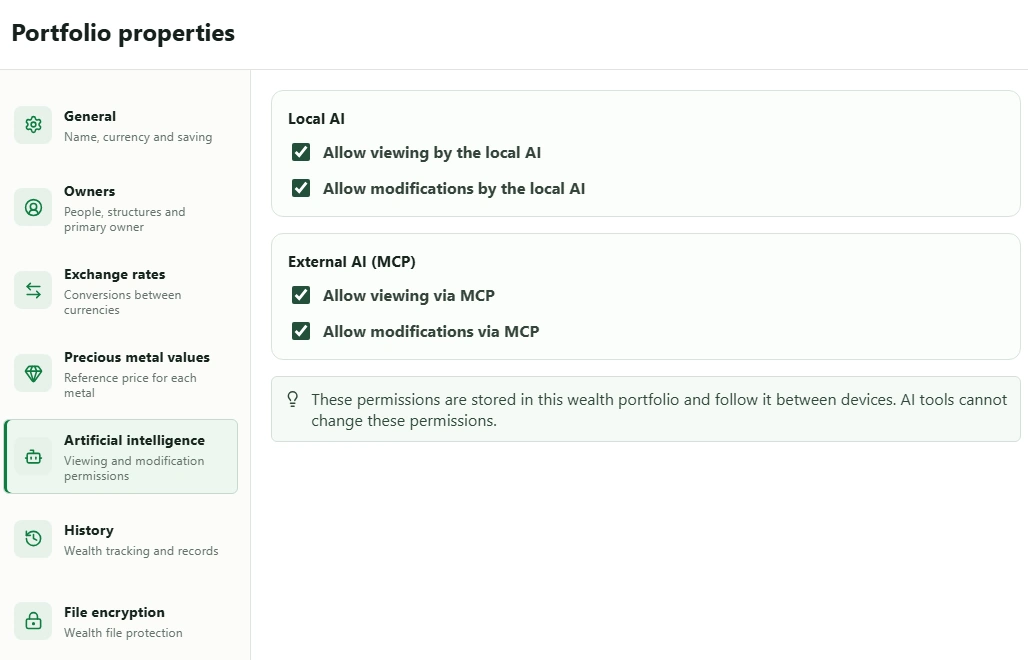
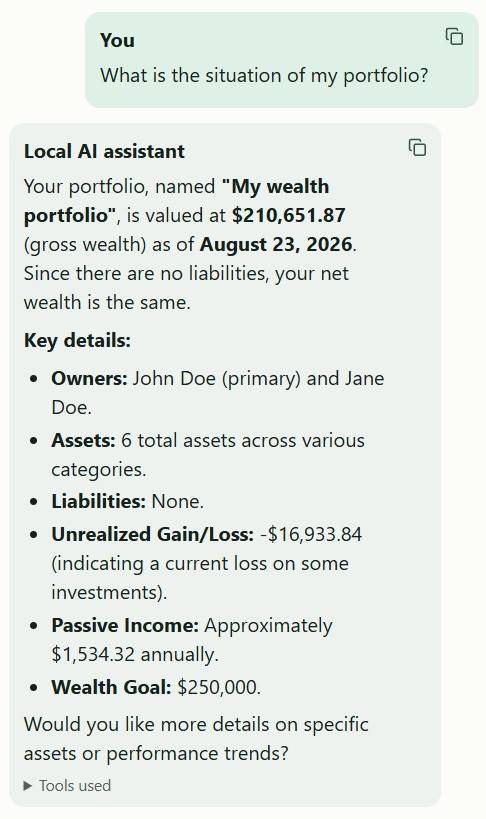
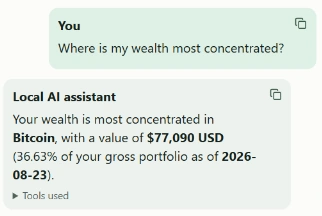
By default, a wealth file is available to the local AI in read-only mode. You can therefore ask questions about your portfolio directly, such as:
- What is the current value of my wealth?
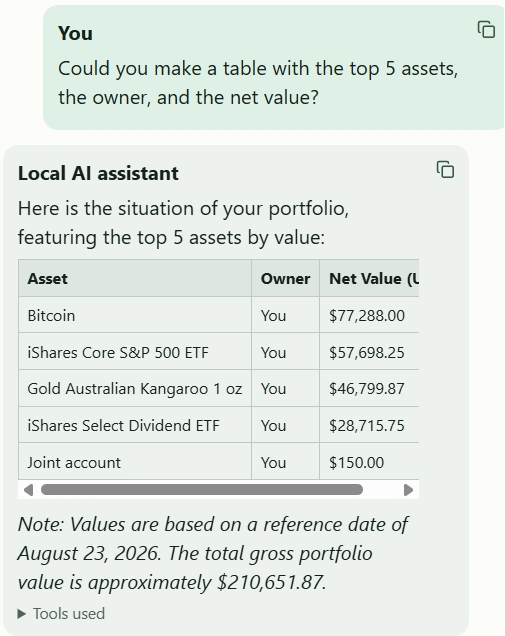
- What are my main assets?
- How is my wealth allocated?
- Which assets generate the most passive income?
- What are my investment goals, and how far have I progressed?
You can also allow write access in your wealth file settings. The assistant can then perform certain operations at your request, for example:
- Add a new asset.
- Edit information about an existing asset.
- Add or update an investment goal.
- Save certain information in your portfolio.
- Make changes based on your instructions.
The aim is to make My Wealth feel more natural to use: instead of looking for information across several screens, you can simply ask your question.
How effective is it?
A local AI assistant needs significant resources to produce high-quality answers.
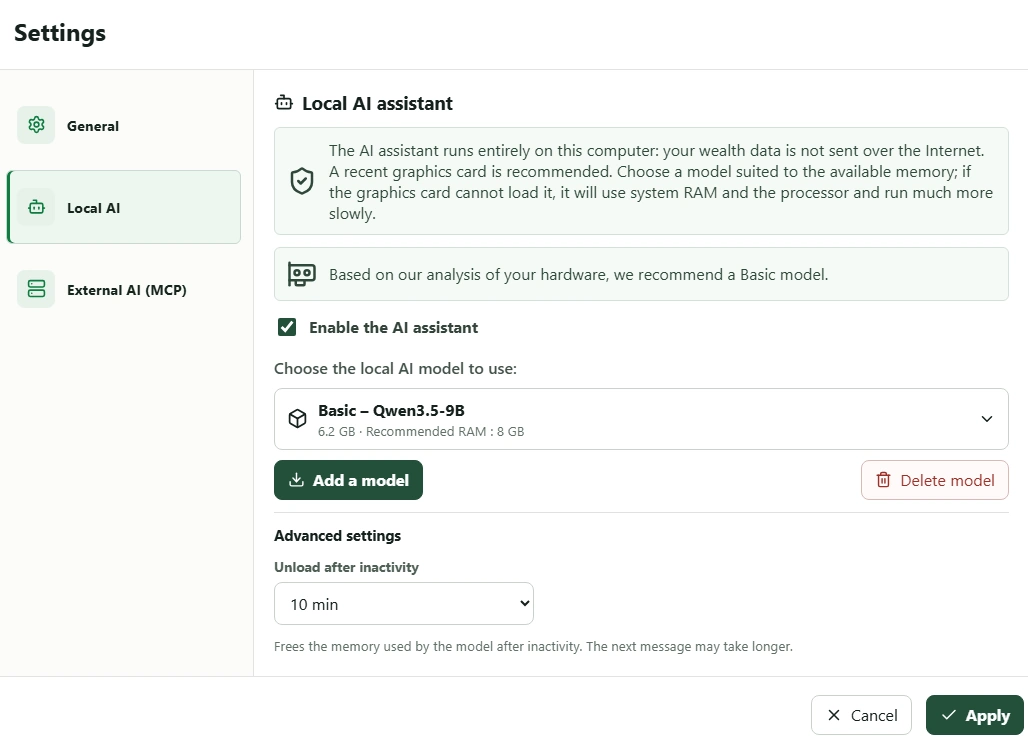
To accommodate different types of computers, My Wealth offers three local AI profiles. More precisely, these are LLMs, or Large Language Models.
As a general rule, when comparing models from similar generations and architectures, a larger model can handle more complex requests and produce more relevant answers.
| Profile | Required memory | LLM |
|---|---|---|
| Basic | 8 GB | Qwen3.5-9B |
| Medium | 16 GB | Ministral-3-14B-Instruct-2512 |
| Advanced | 32 GB | Qwen3.6-35B-A3B |
The model is intended to be loaded into your graphics card memory for the best possible performance. If there is not enough available memory, the LLM may run with reduced performance.
The three available models have been tested for hundreds of hours across many different questions and operations. These tests help identify errors, better understand their limitations and, above all, improve the way My Wealth supplies them with the information they need.
Even so, an LLM can still make mistakes or occasionally invent an answer. It is therefore important to remain cautious and verify important information.
Models are improving extremely quickly
Local LLMs are nevertheless extremely promising. Their effectiveness is improving very quickly, sometimes without requiring significantly larger models.
For example, we compared different generations of Qwen, including Qwen 2.5 and Qwen 3.5. At a comparable size, the progress is considerable: writing quality, understanding of requests and the ability to use the supplied information correctly have all improved markedly.
My Wealth is therefore not permanently tied to the models offered today.
As soon as new compatible LLMs provide better performance, they may be made available for download directly from the application.
Why not use Ollama through MCP?
Ollama is a tool for downloading, running and using LLMs locally on your own computer.
My Wealth includes a local MCP server, so you can connect Ollama to My Wealth with the LLM of your choice.
When an LLM running through Ollama connects to My Wealth via MCP, it receives a catalogue describing the tools exposed by My Wealth. This catalogue contains more than 70 tools and may take a little longer to load for the first request. Once this step is complete, subsequent requests are generally processed faster because the catalogue can remain cached.
This MCP interface can also be used by a general-purpose AI such as ChatGPT. In that case, the time needed to analyse the catalogue is generally much less noticeable, particularly because considerably more computing resources are available than with a local solution.
During our tests, we improved the MCP contract and orchestrator to help our reference local LLMs produce answers that are more relevant, more precise and better grounded in My Wealth data.
The main optimisations are:
- The LLM first receives a compact MCP catalogue containing the available tools, their purpose and their main usage rules. Full JSON definitions are then loaded only for the selected tools. This reduces the initial context and speeds up processing without hiding any tools from the model.
- The LLM remains responsible for understanding the request, selecting the necessary MCP tools and preparing their arguments. The orchestrator does not answer in its place.
- The selections and calls made by the LLM are validated: authorised tools, permissions, JSON schemas, parameter types, opaque references and pagination rules. When a recoverable error is detected, a structured explanation is returned to the LLM so that it can correct its own plan.
Thanks to these optimisations, an LLM running directly in My Wealth can be faster and more relevant than the same model used through Ollama or a generic MCP integration. The LLM remains responsible for selecting tools and preparing their arguments, while My Wealth controls their execution, validates parameters and enriches the results with the information needed when the model has to correct its plan.
The AI assistant is not a financial adviser
You can ask the AI assistant for financial guidance, but that is not its primary purpose.
It can generally provide explanations, highlight certain aspects of your wealth or recall general good practices. However, a local AI running on your own computer does not yet have the power of the largest artificial intelligence models available online.
Its answers should therefore not be regarded as professional financial recommendations.