My Wealth 1.7.0: plan and track your wealth more effectively
1. What’s new at a glance
- Find all your goals in a dedicated view, displayed as cards or a list.
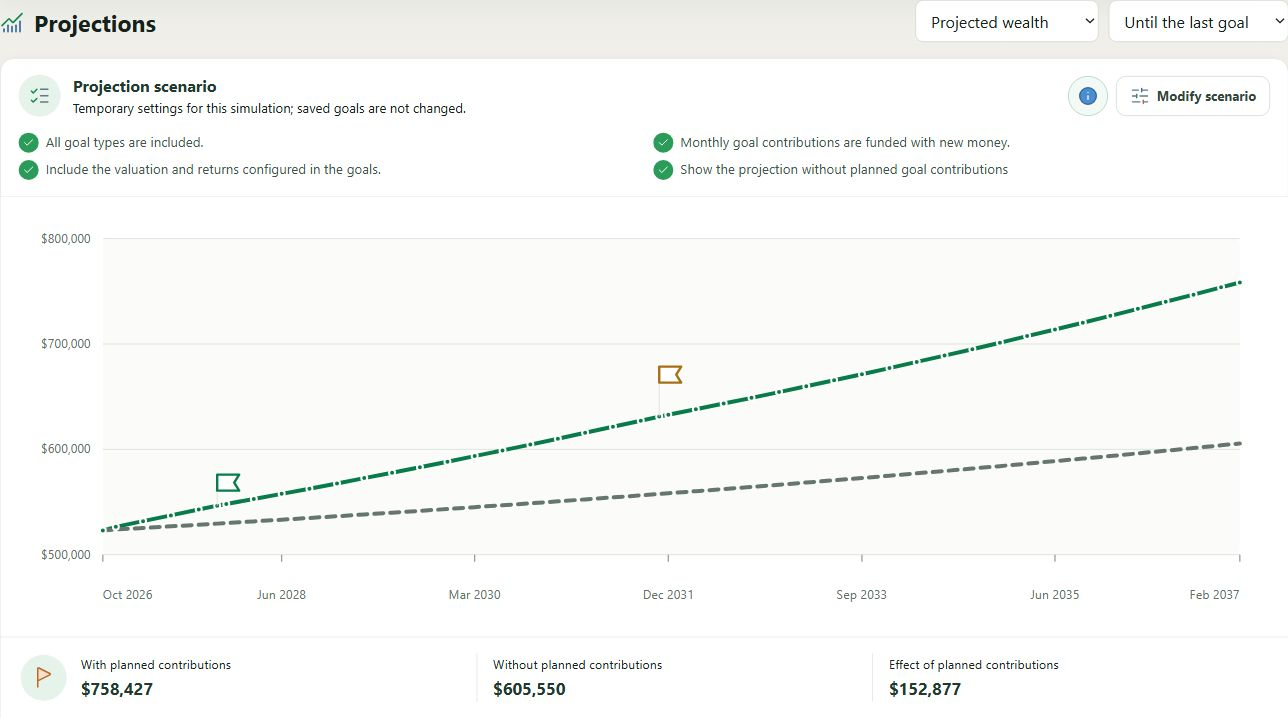
- Compare projected wealth with and without planned contributions.
- Try a temporary scenario without changing your saved goals.
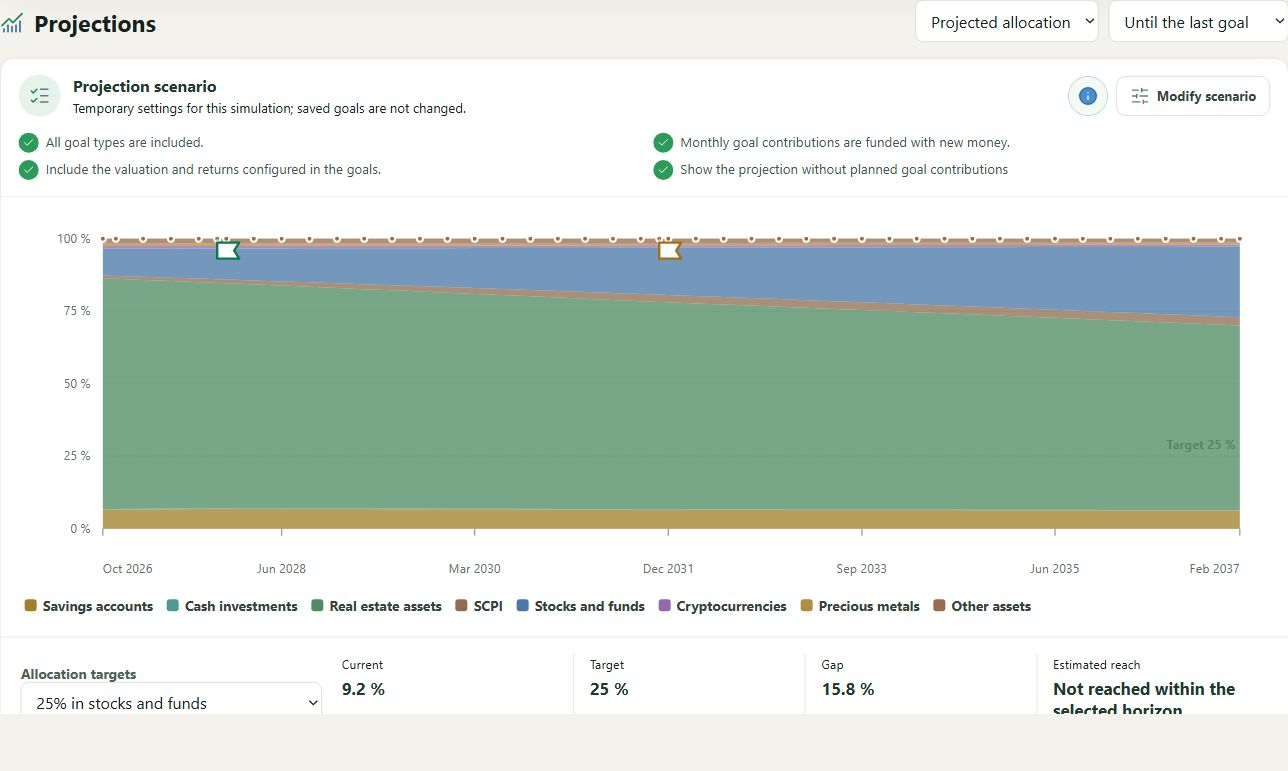
- View the projected allocation of future contributions and overlaps between goals.
- Choose Automatic, CUDA, Vulkan or CPU for the local AI assistant.
Discover My Wealth in the online demo
2. A dedicated view for goals and their projections
The Goals view brings together the key indicators, projections and list of goals. The card layout makes visual tracking easier, while the list and reordering controls are well suited to portfolios with more targets.
The wealth projection compares the trajectory with planned contributions against a trajectory without those contributions. Monthly contributions represent new funds and are not artificially deducted from another account.
A temporary scenario lets you explore a different date, monthly contribution, or set of return and reinvestment assumptions. Your saved goals remain unchanged while you experiment.
An allocation focused on future contributions
The allocation projection shows how upcoming contributions may change the distribution. A complete allocation totals 100%. It does not trigger any sale or assume forced rebalancing of existing positions.
When several goals use the same asset or support with incompatible assumptions, My Wealth displays an overlap warning so that the projection does not give a misleading impression of precision.
3. More faithful monthly tracking in the budget
A completed occurrence keeps a snapshot of its amount and currency. The plan can then change without rewriting months that have already been checked off. You can still correct the amount for a specific month or return the occurrence to pending status.
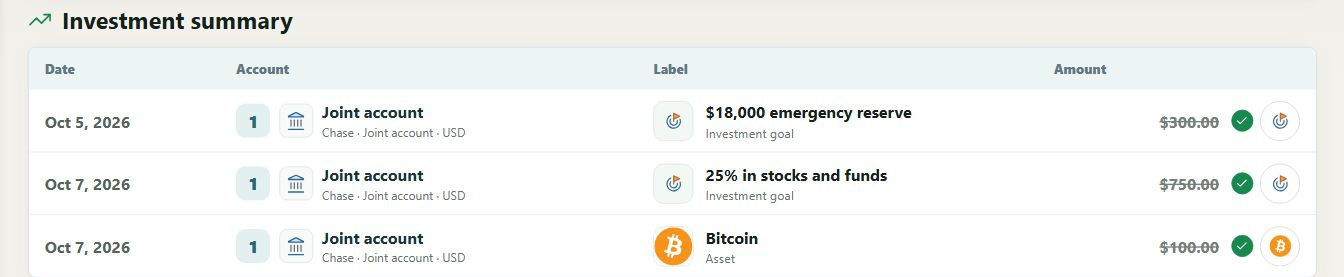
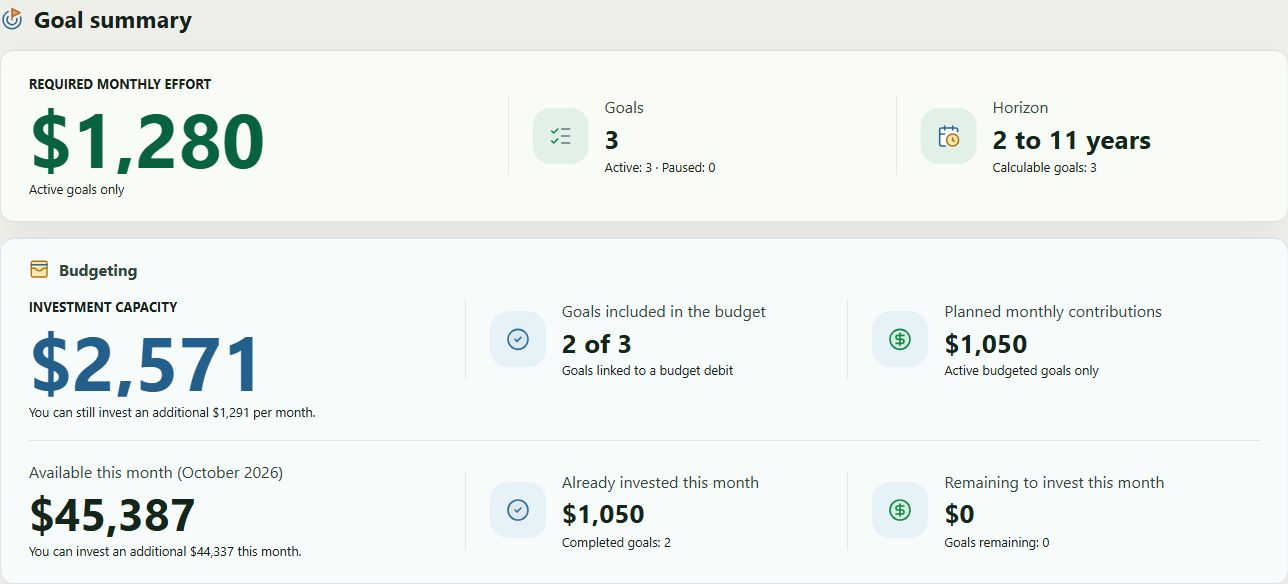
For goals linked to the budget, the summary distinguishes the available amount, the amount already invested, the remaining amount and completed or pending goals. A completed contribution is added back to available capacity to avoid deducting it twice.
4. Several backends for the local AI assistant
Depending on your computer’s capabilities, My Wealth provides three model levels: Basic, Medium and Advanced. They are not included with the installer, but can be downloaded directly from the settings dialog.
CUDA is now supported on systems equipped with an NVIDIA graphics card. Enabled by default, Automatic mode tries CUDA, Vulkan and then CPU in succession to select the most suitable compatible backend. All three backends can also be selected manually. GPU layer settings and calibration results are stored separately for CUDA and Vulkan.