
Find your assets and their prices without copying everything
Identifying the right security, searching for an SCPI fund, finding a gold coin's characteristics and checking several prices takes time. My Wealth LIVE brings together searches and financial data to make adding assets and updating their value easier.
Live is an optional subscription, separate from the free application. It offers a 10-day free trial before billing, with monthly and annual plans. Prices and terms are shown before subscribing.
View My Wealth Live prices and trial · Install the application
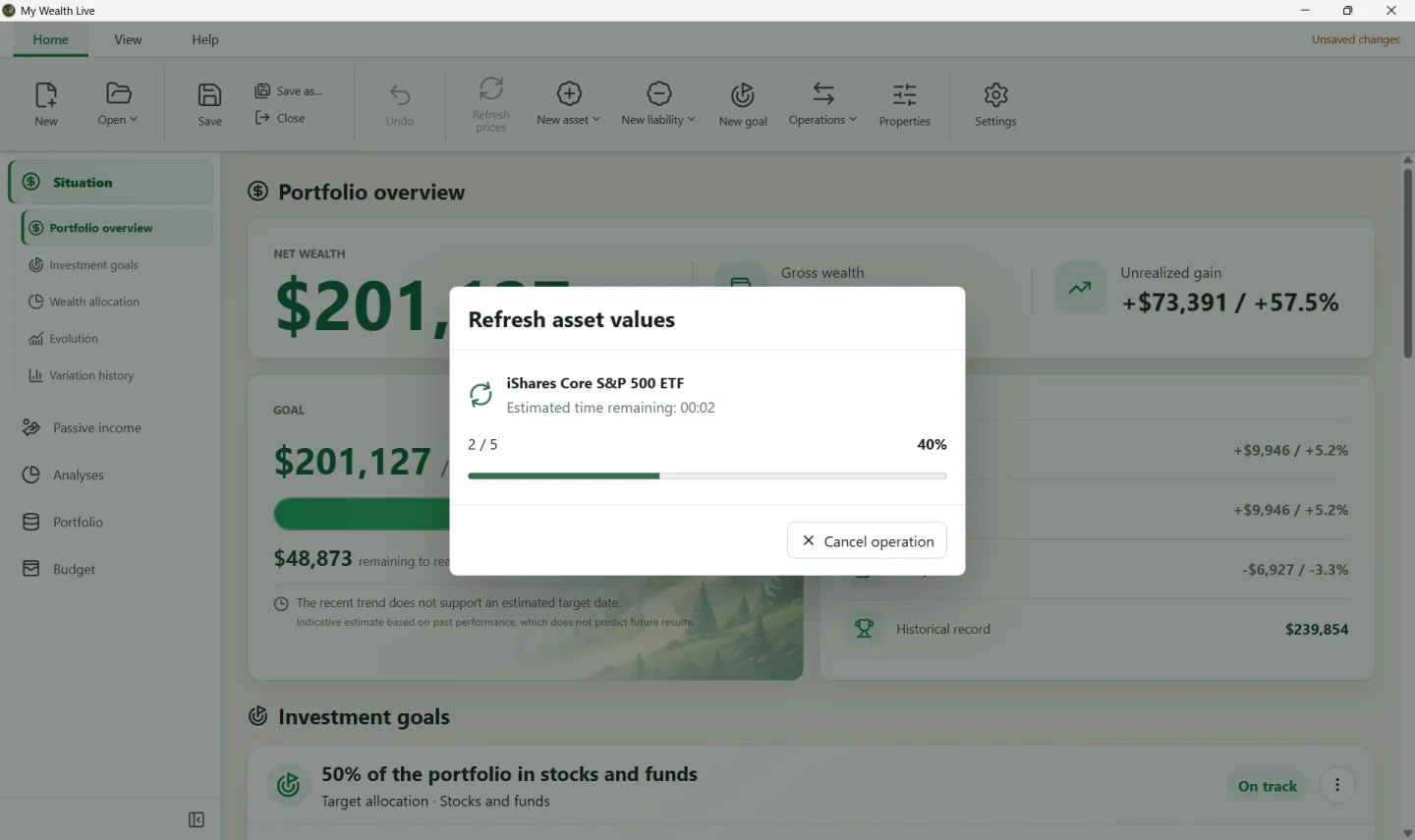
1. From finding an asset to tracking it in your wealth
The process has three steps: find the right asset in a catalogue, check the suggested characteristics, then use the available data to track it in your file.
| Search or data | Purpose |
|---|---|
| Shares, ETFs and funds | Identify the security, its market, currency and available data |
| Cryptocurrencies | Distinguish assets with similar names and find a price |
| French SCPI property funds | Find the management company, unit price and available details |
| Coins and bars | Check the metal, weight, purity and format in an illustrated catalogue |
| Prices and exchange rates | Update compatible valuations and consolidate several currencies |
Details vary by asset and availability. You can always check and correct them.
2. Example: distinguish cryptocurrencies with similar names
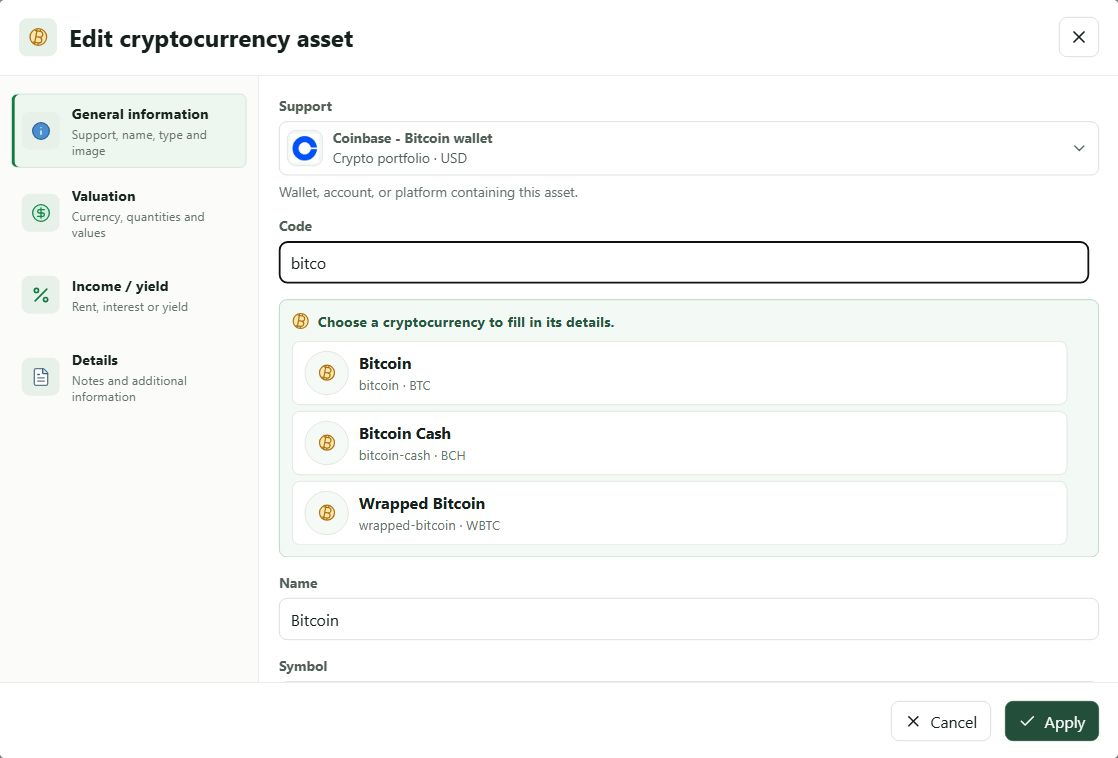
In this demonstration screenshot, searching for ‘bitco’ returns Bitcoin (BTC), Bitcoin Cash (BCH) and Wrapped Bitcoin (WBTC), among others. Choose the result that matches the asset actually held, not just a similar name.
Once the identity is checked, available details can prefill the asset. You enter your holding; Live does not automatically retrieve your account balance from a broker or crypto platform.
3. SCPI funds: find the company and published values
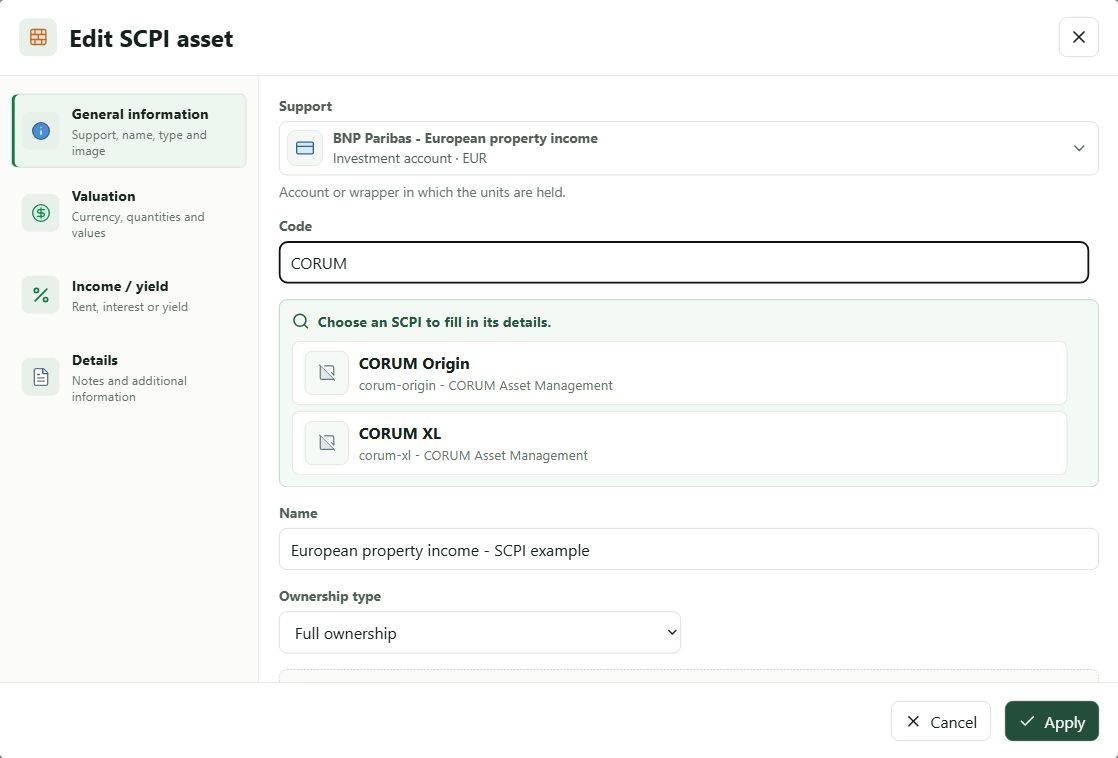
The ‘CORUM’ search illustrates a case where several SCPI funds are offered. You can check the name and management company before selecting the result matching your units.
The unit price and other available information, such as withdrawal value or distribution rate, reduce copying. Interpret these values according to their nature and date: a unit price does not guarantee an immediate resale price.
4. Precious metals: check the product and its metal content
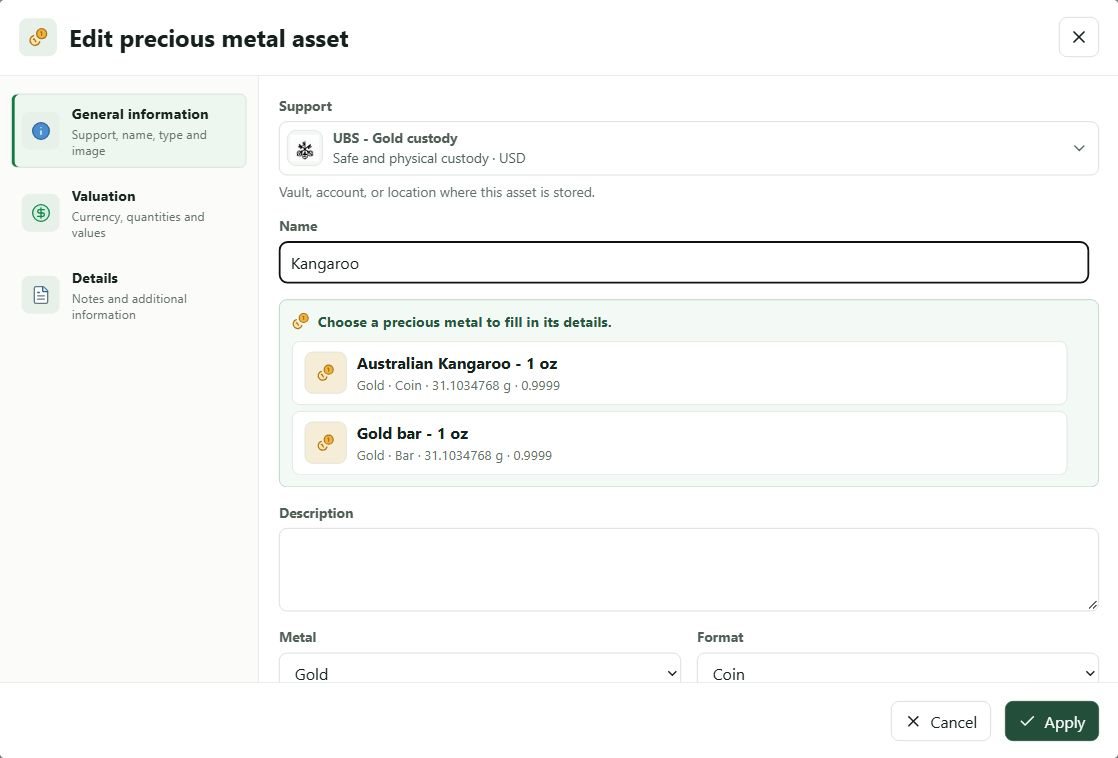
The screenshot uses the ‘Kangaroo’ search. The catalogue lets you check the product type, weight and purity, with an illustration when available.
For valuation, Live can retrieve per-gram prices for gold, silver, platinum and palladium. A value based on metal content is not an individual numismatic valuation: a coin's rarity, condition or premium is not automatically determined by the metal price.
These examples illustrate how searches work and are not recommendations to buy.
5. Update compatible data when you request it
The Refresh prices command brings together compatible data searches: securities, cryptocurrencies, SCPI details, precious metals and required conversions.
The application shows progress followed by updated, skipped or failed items. You can continue entering values manually for assets without a compatible identifier.
Updates are triggered at your request. Live does not monitor your accounts continuously, automatically retrieve purchases and sales, or place financial orders.
6. What remains free?
| Need | Free application | With Live |
|---|---|---|
| Organise and analyse assets, liabilities, income, budget and goals | Yes | Yes |
| Manually enter and correct values and exchange rates | Yes | Yes |
| Search connected catalogues and prefill available data | No | Yes |
| Refresh compatible market data on request | No | Yes |
Smart import with local AI on Windows is also independent of Live. It analyses a source you provide, while Live searches for information and prices through the financial data service.
Live is most useful if you regularly add compatible assets or refresh several investment categories. For occasional tracking where you enter values yourself, you can keep using the free application.
7. Keep your wealth file in your chosen location
A search or refresh requires a connection and sends the necessary parameters to the service, such as a symbol, asset identifier or currency pair. The complete wealth file is not sent to perform these operations.
You do not need to connect your bank accounts or disclose broker credentials. My Wealth's local operation remains the basis of tracking: you can work with saved data and enter values even when the remote service is unavailable.
Read the My Wealth Live guide · Discover the application in the demo first