
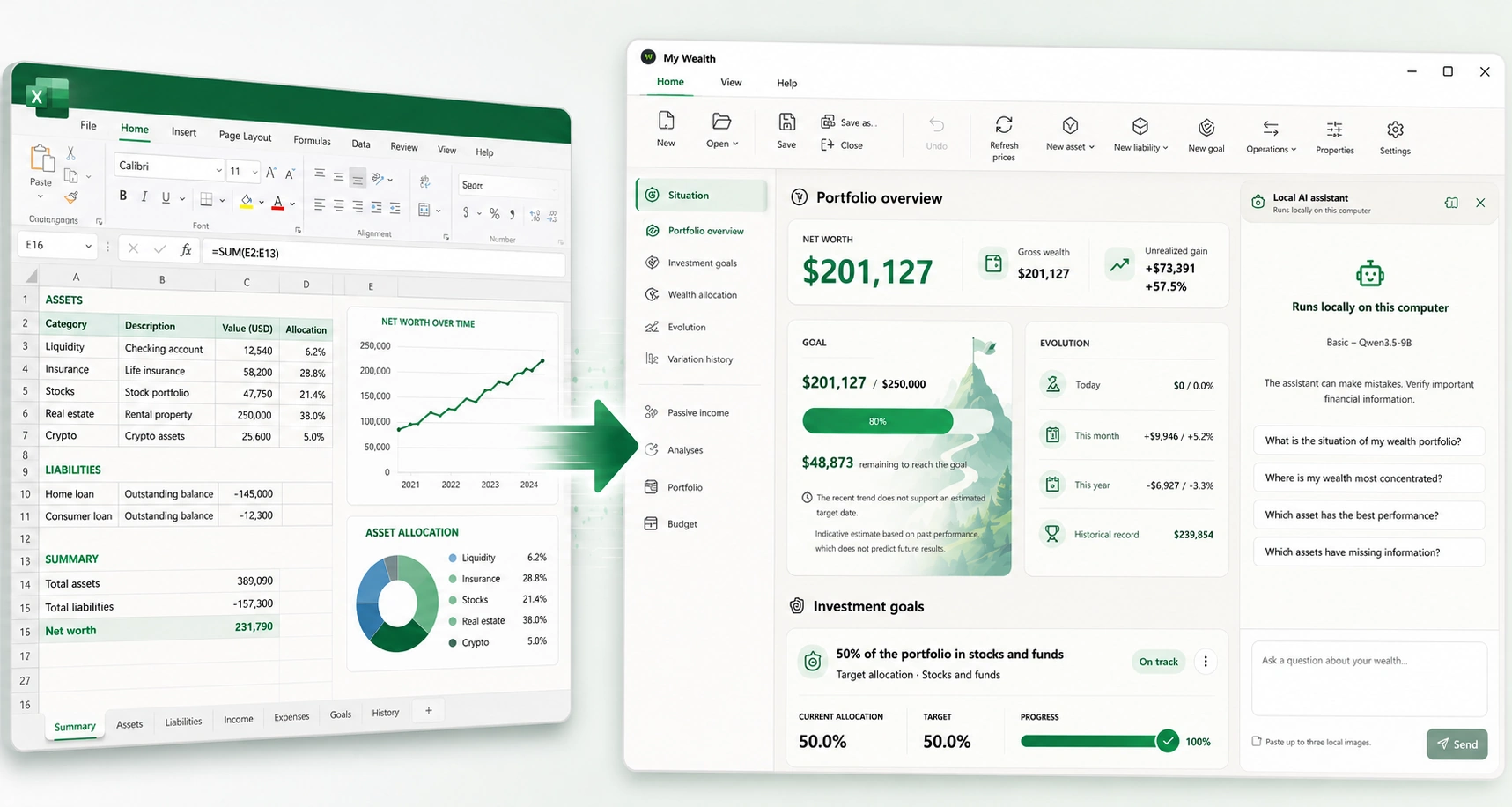
An alternative to Excel for tracking your wealth
A spreadsheet is often one of the first tools used to track personal wealth.
It is flexible, easy to start with and lets you quickly build your own tracking system.
But as accounts, investments, property, debts and historical data accumulate, the file can gradually become harder to maintain.
My Wealth provides a dedicated wealth management application while retaining a local approach in which you keep control of your data.
When a spreadsheet starts becoming complex
An Excel file may be perfectly adequate for a few assets.
Over time, however, you often need to manage more information:
- several asset classes;
- multiple accounts and institutions;
- liabilities;
- different currencies;
- valuation history;
- income generated by assets;
- distributions and allocations;
- future goals.
The file structure, formulas and charts must then be maintained manually.
My Wealth is designed specifically to organize this wealth information.
Compare the two approaches in practice
The choice mainly depends on what you expect from your tool:
- Data structure: in Excel, you design the sheets and their relationships; My Wealth already provides a model for assets, liabilities, owners, accounts and institutions.
- Calculations: a spreadsheet relies on your formulas; My Wealth directly calculates gross and net wealth, allocations, income, performance and debt indicators.
- History: Excel requires you to prepare your own tables or periodic copies; My Wealth stores the evolution in the wealth document.
- Controls: a formula or reference can be changed silently in a spreadsheet; the application applies the same business rules across all its views.
- Customization: Excel remains more flexible for building a completely bespoke model; My Wealth prioritizes a specialized framework that is ready to use.
The purpose is therefore not to replace every use of Excel, but to avoid rebuilding common wealth-tracking features yourself.
Prepare the move from your spreadsheet
Wealth tracked in Excel should first be reviewed and structured before being entered into My Wealth. It is useful to identify the assets you still hold, their associated liabilities, currency, owner, value and valuation date.
This step also lets you discard obsolete rows and check totals. The purpose is not to import every sheet, formula and formatting choice blindly, but to rebuild a clean wealth document from the relevant data.
Bring your assets and liabilities together
My Wealth can track property, savings, shares, ETFs, funds, REITs, cryptocurrencies, precious metals, cash investments and other assets in a multi-asset portfolio.
You can also include loans and other liabilities to obtain a view of your net wealth.
This data is organized according to a common wealth model instead of being scattered across different sheets and formulas.
Automatically retain a historical view
Tracking the current value of your wealth is relatively simple in a spreadsheet.
Maintaining a consistent representation of its evolution usually becomes more complex.
My Wealth integrates history into the wealth document so that you can track the evolution of assets and your overall position over time.
You can therefore observe the trajectory of your wealth without manually building your own historical recording mechanisms.
Analyze your wealth without building your own charts
My Wealth includes several wealth analyses directly in the application.
You can study:
- allocation by asset class;
- geographical distribution;
- currencies;
- diversification;
- concentration;
- liquidity;
- debt;
- risk indicators associated with certain assets.
For example, concentration is not limited to a chart by asset class: it also examines the largest exposures by account, institution, country and currency. The debt analysis compares outstanding liabilities with financed assets, due dates and, when a budget has been entered, monthly income.
The aim is not to replace Excel's general flexibility, but to provide the common tools needed for wealth tracking directly.
Discover the wealth management software
Track your passive income
Income produced by assets can also be included in your wealth overview.
My Wealth can track rent, dividends and interest, helping you compare an investment's value with the income it generates.
Discover passive income tracking
Connect your wealth to your budget and goals
My Wealth does more than capture a snapshot of your current wealth.
The application also lets you manage a monthly budget and define investment goals based on a target value, allocation or passive income.
Keep control of your file
Moving to a specialized application does not require entrusting your wealth to a remote platform. My Wealth saves it in a .mywealth file whose location you choose.
Discover why My Wealth works locally
A specialized application rather than a general-purpose spreadsheet
Excel remains an extremely versatile tool.
My Wealth simply addresses a different need: providing a structure and features already designed for wealth management.
Instead of building and maintaining your own tracking system, you immediately have an application capable of answering questions such as:
What is my net wealth?
How are my investments allocated?
How is my wealth evolving?
What income does it produce?
Am I on track to reach my goals?
Try My Wealth for free
You can explore My Wealth directly in your browser with the online demo, with no installation required.