
Track a multi-asset portfolio without losing investment details
One total at your broker, another at the bank, and a home with its mortgage: these separate views do not show how your wealth is allocated. My Wealth brings your investments together while retaining their institution, currency and owners.
You can compare asset classes, find a position and understand an investment's share of the whole without rebuilding a summary after each update.
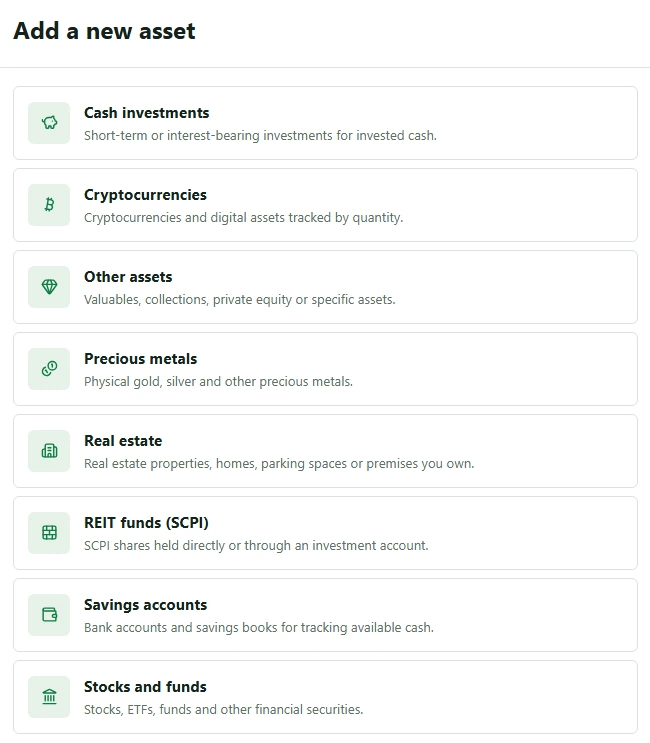
1. One view for different types of asset
My Wealth brings together the main classes of personal wealth: savings, property, shares, ETFs, funds, French SCPI property funds, cryptocurrencies, precious metals and other assets. Loans and liabilities complete the net wealth picture.
The benefit is retaining each item's characteristics. A flat, a quantity of securities and a gold bar do not have to become generic rows without context.
2. Switch from an asset-class view to an institution view
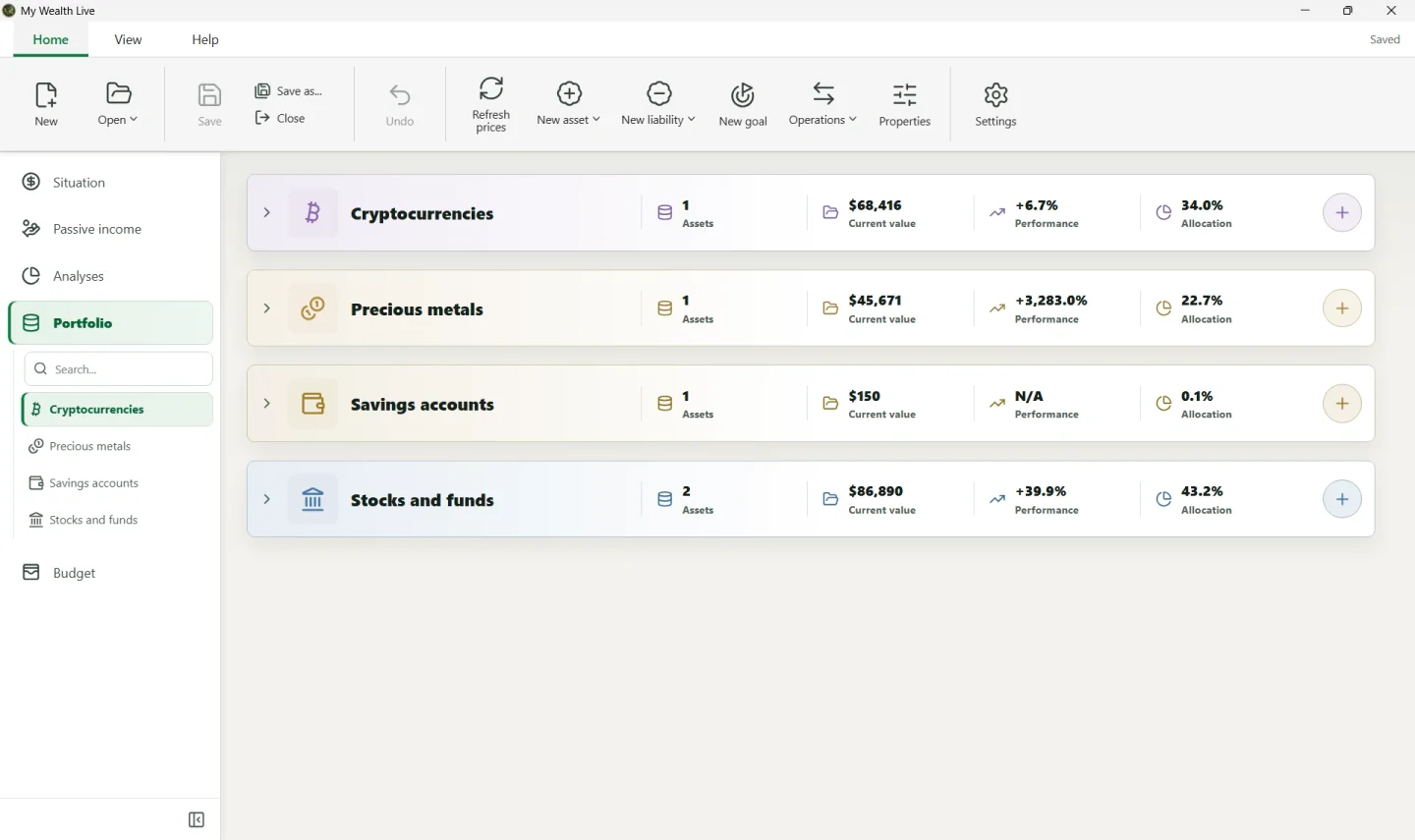
Grouping by asset class helps show the share of property, securities or savings. Grouping by holding structure lets you find accounts and investment wrappers at each institution.
For example, a household can track a jointly owned home, personal savings and investments spread across several brokers in one document. Owner allocations retain individual and shared holdings without duplicating assets.
The wealth organisation guide explains the structure of owners, institutions and holding accounts.
3. Compare values expressed in several currencies
Each asset or liability retains its currency, while totals use the wealth file's main currency. You can therefore keep the original values of a euro account and dollar securities, then see their contribution in one consolidated view.
Required exchange rates must be entered. Missing conversions are flagged: an incomplete total must not be confused with the value of the whole portfolio. Understand currency management.
4. Read allocations alongside debts and concentrations
An allocation by asset class does not describe every exposure. Several funds may depend on the same country; several assets may be held at the same institution.
My Wealth analyses let you examine allocations by asset, holding account, holding structure, country and currency, as well as availability and debt. A loan associated with a property remains visible in the net wealth picture.
These indicators help you observe your position. They are neither a recommended allocation nor a rebalancing instruction. Calculation methods are explained in the wealth analysis guide.
5. Keep your positions up to date
You can enter values manually and schedule checks in the Update Centre. For compatible data, My Wealth Live offers asset searches and price updates on request.
If you start from a statement or image, smart import with local AI can prepare changes on Windows. You check the proposals before applying them.
The wealth change log then retains the changes. Reviewing movements helps distinguish contributions, withdrawals and valuation changes.
To create your own tracking, download My Wealth, then see Adding your first assets. For an overview of the product, see personal wealth management software.