
Wealth management software for a clear view of your finances
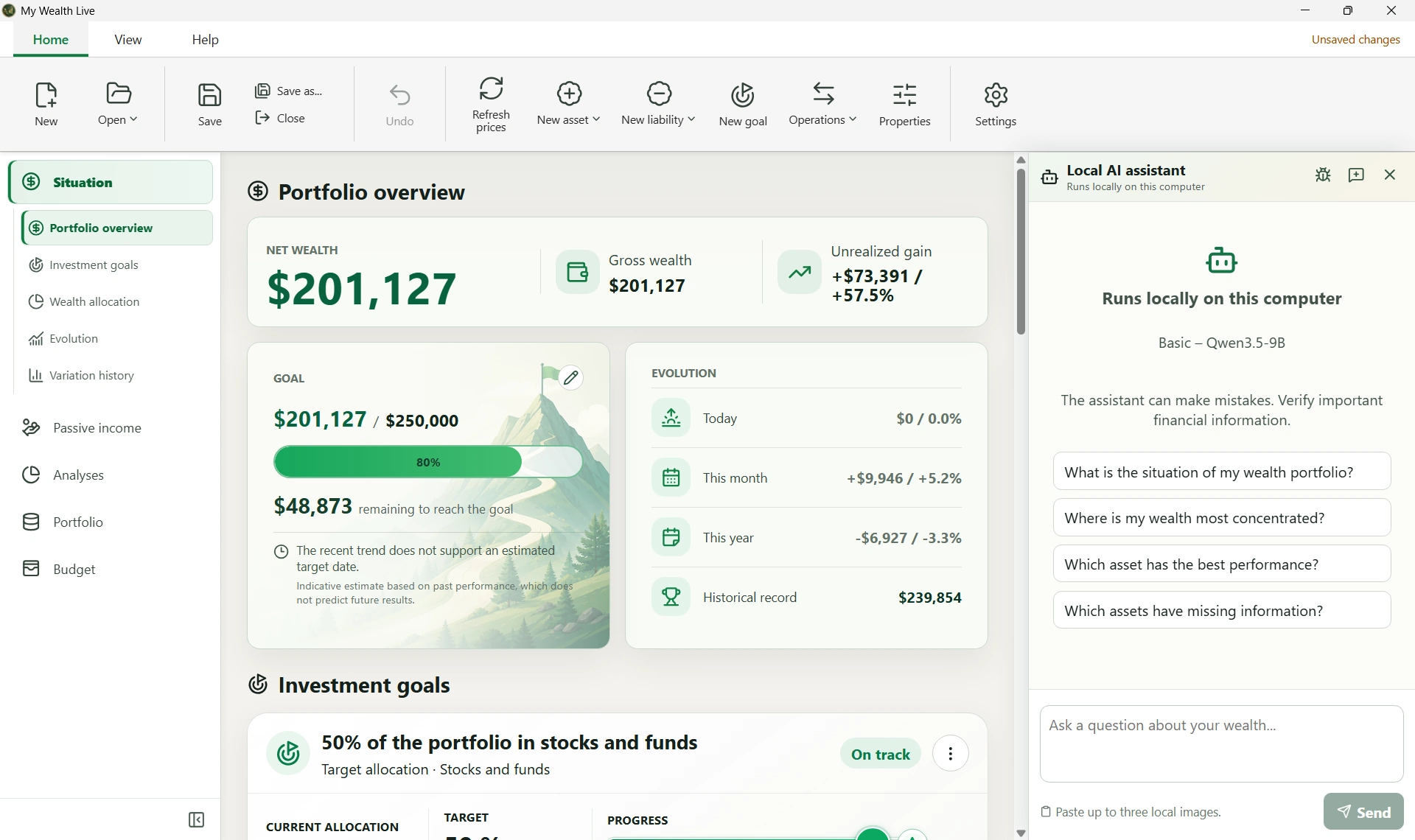
My Wealth is personal wealth management software that brings your assets, liabilities and investments together in one application.
Property, savings, shares, ETFs, funds, REITs, cryptocurrencies, precious metals and loans: you gain an overall view of your wealth and can track how it changes over time.
Available on Windows and Android, My Wealth uses the same .mywealth file format to keep your wealth local and portable on both desktop and mobile.
Centralize your entire wealth
My Wealth lets you track the main components of personal wealth and bring them together in a multi-asset portfolio:
- property;
- savings accounts;
- shares, ETFs and funds;
- REITs;
- cryptocurrencies;
- precious metals;
- cash investments;
- other assets;
- mortgages and personal loans.
Assets can be organized by account, institution, custodian or owner to represent your financial position more accurately.
My Wealth distinguishes between assets, liabilities, gross value, net value, performance and income.
Track your net wealth and its evolution
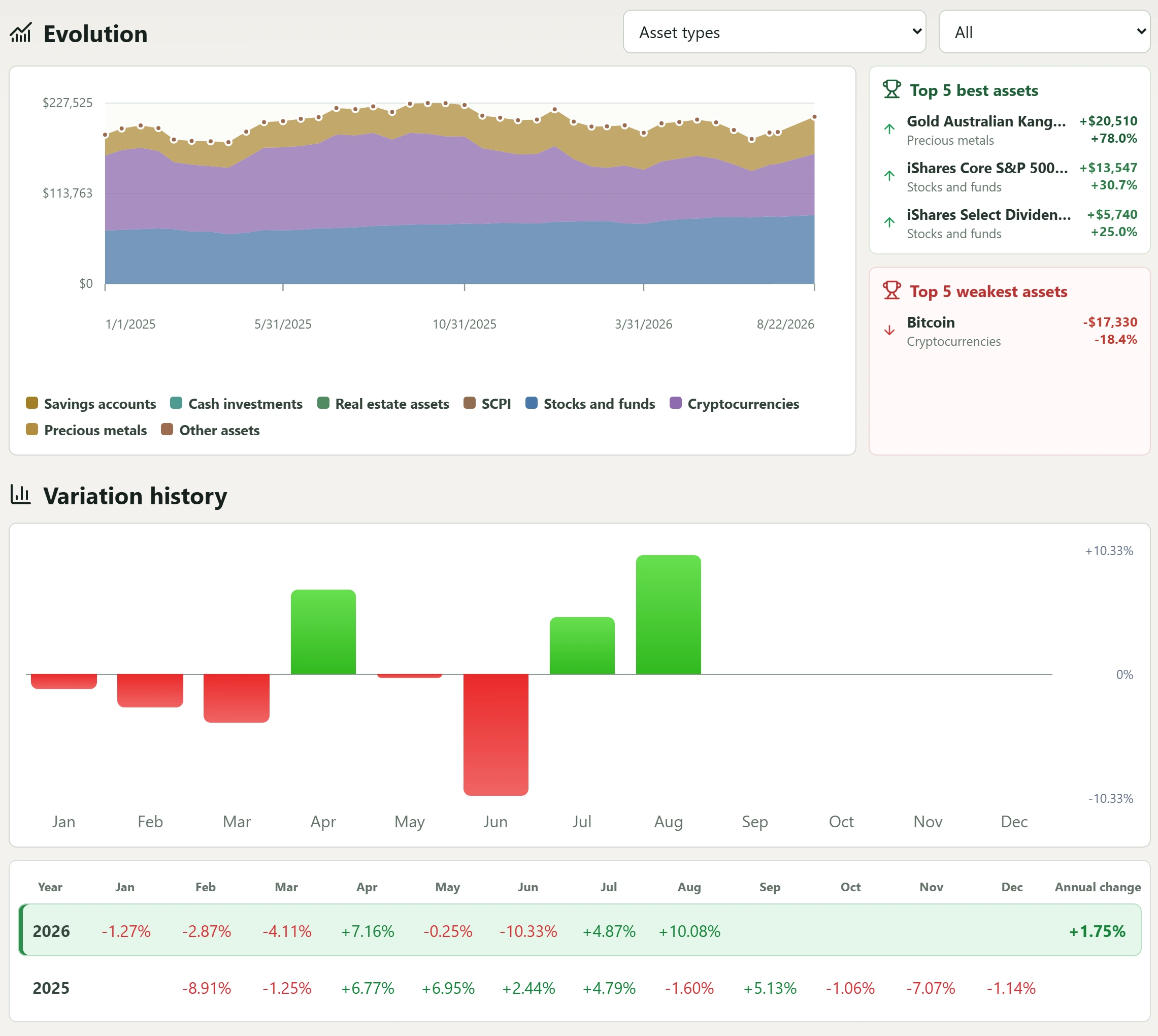
Knowing what your wealth is worth at a particular moment is useful. Understanding how it changes is even more valuable.
My Wealth lets you track:
- the overall value of your wealth;
- your net wealth after liabilities;
- changes in your assets over time;
- performance and unrealized gains;
- passive income;
- your wealth allocation.
The history helps you put short-term variations into perspective and follow the overall direction of your wealth.
Analyze the composition of your wealth
My Wealth does more than record your assets.
Its analysis views let you study your wealth across several dimensions:
- allocation by asset class;
- geographical allocation;
- allocation by currency;
- allocation by institution or custodian;
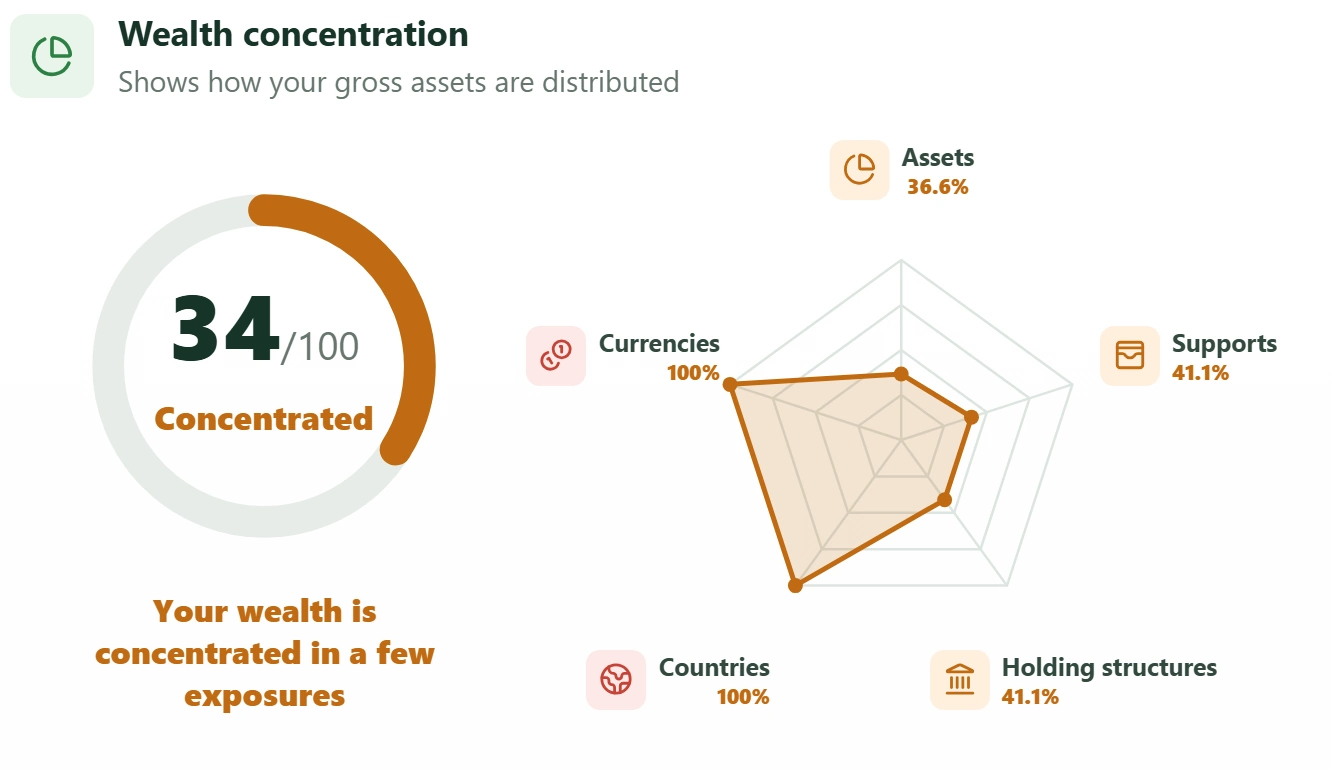
- diversification and concentration;
- wealth availability;
- debt level;
- risk indicators entered for certain assets.
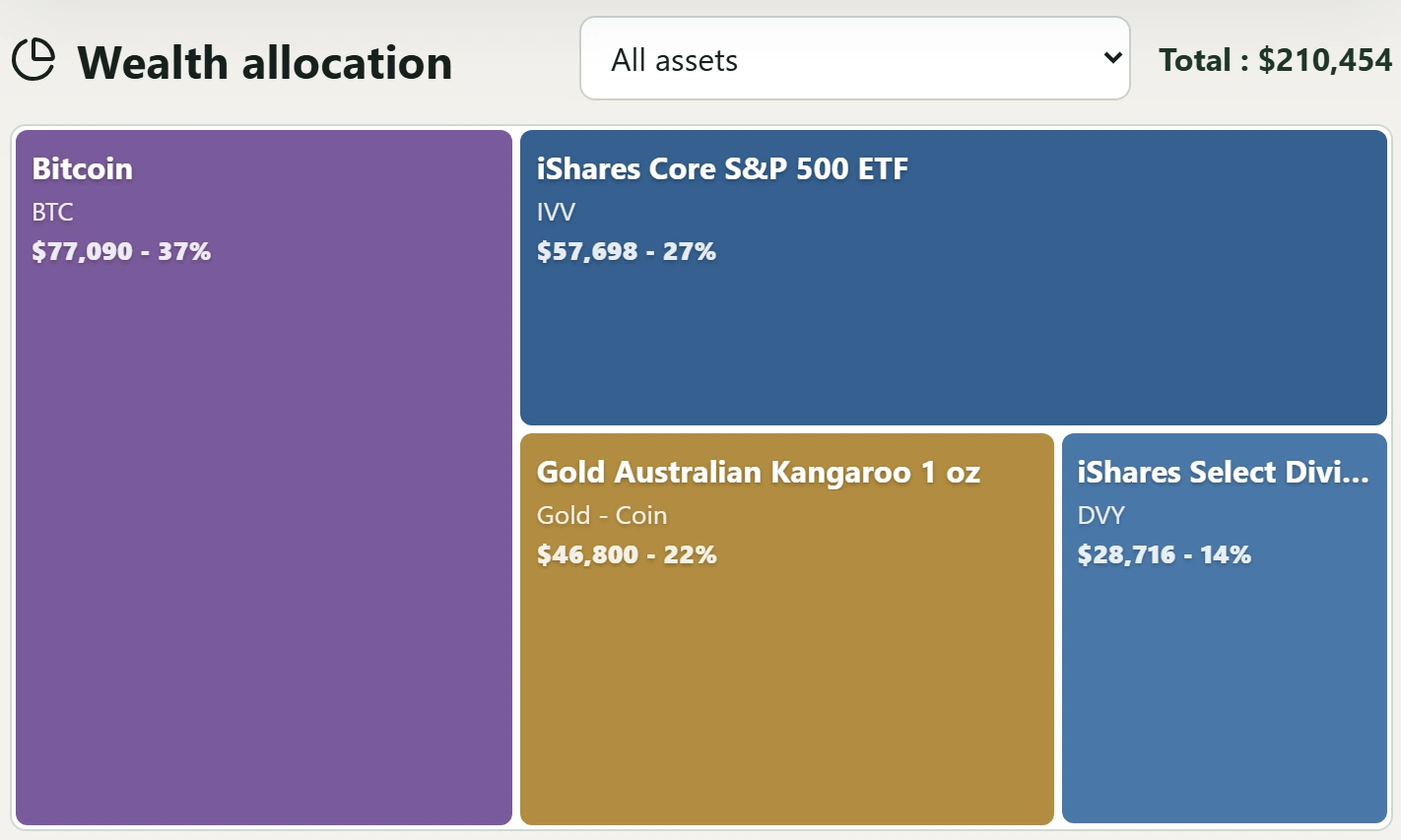
The concentration analysis produces a diversification score from the main exposures by asset, custodian, holding structure, country and currency. Availability classifies assets according to the estimated time needed to access them, from immediately to more than one year.
Debt is analyzed separately through the weight of debt in your wealth, the relationship between loans and financed assets, repayments compared with income, exposure to variable rates and debt concentration. These indicators make imbalances easier to identify and the structure of your wealth easier to understand.
My Wealth also provides indicative wealth comparisons with a reference country, several countries and the world. They provide a statistical point of reference, not financial advice.
Keep control of your data
My Wealth follows a local-first approach.
Your wealth is stored in a .mywealth file whose location you choose. Essential creation, viewing, editing and saving features require neither mandatory cloud storage nor a user account.
You remain in control of your data and where it is stored.
On Windows and Android, the file can also be protected with password-based encryption. To learn more about this design choice, discover My Wealth's private, local approach.
More than an inventory of your assets
My Wealth also brings together tools designed to help you manage your wealth over time.
You can track passive income, manage a monthly budget, define investment goals, and use analysis tools to study diversification, concentration, liquidity and debt.
On Windows, My Wealth also provides a local AI assistant and MCP server for querying the open wealth file, subject to the permissions configured in the application.
Choose between Classic features and Live services
My Wealth's essential features remain available locally in the Classic edition. They let you create, organize, analyze and save your wealth without a mandatory cloud subscription.
With a licence, My Wealth Live adds connected services for finding assets and refreshing market data, prices or exchange rates through Forge. These exchanges are triggered to provide the requested feature; the .mywealth file remains the source of truth.
My Wealth does not place orders, perform transactions or provide financial advice. It helps you structure and analyze the information you give it.
Software designed to remain simple
Wealth can quickly become difficult to track when it is spread across several institutions, investments or asset types.
My Wealth aims to make this information easier to read so that you can answer a few essential questions:
What is my wealth worth?
How is it allocated?
How is it changing?
What income does it generate?
How significant are my debts?
The goal is to provide an application that remains understandable to non-technical users, including when creating, organizing, saving and reopening their wealth.
Try My Wealth for free
You can discover My Wealth directly in your browser with the online demo, with no installation required.
It lets you explore the interface and main features using a demonstration portfolio.
To manage your own wealth, you can then download My Wealth for Windows free of charge.
On Android, the application is installed from the Google Play Store.