
Adding property, accounts, and investments
The selected family determines the fields in the dialogue and the asset's place in analyses. Enter the currency and value as they actually exist; conversion to the main currency is performed separately.
Common procedure
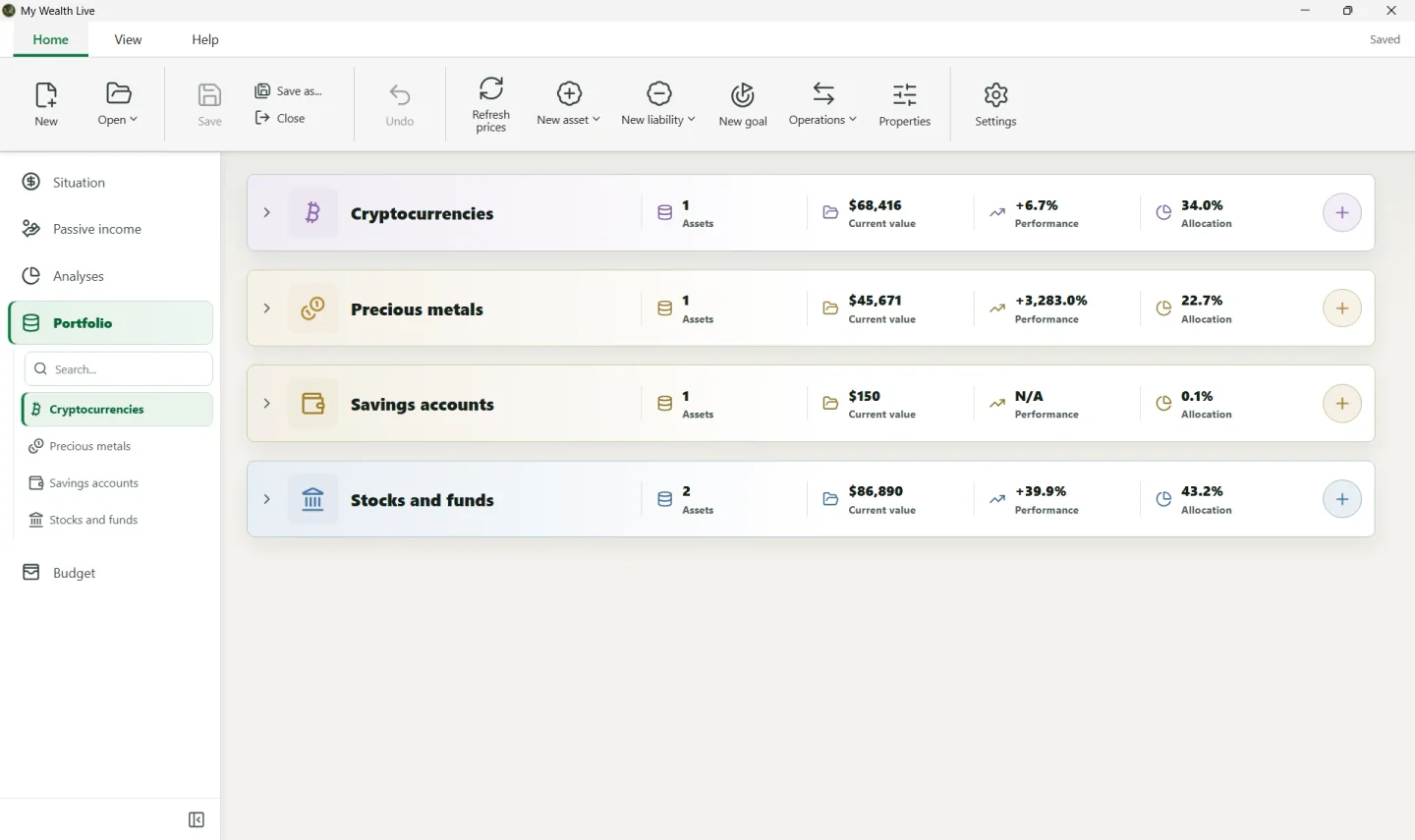
- Open Portfolio, then select New asset or the add button for the desired family.
- Choose the family, then the available asset type.
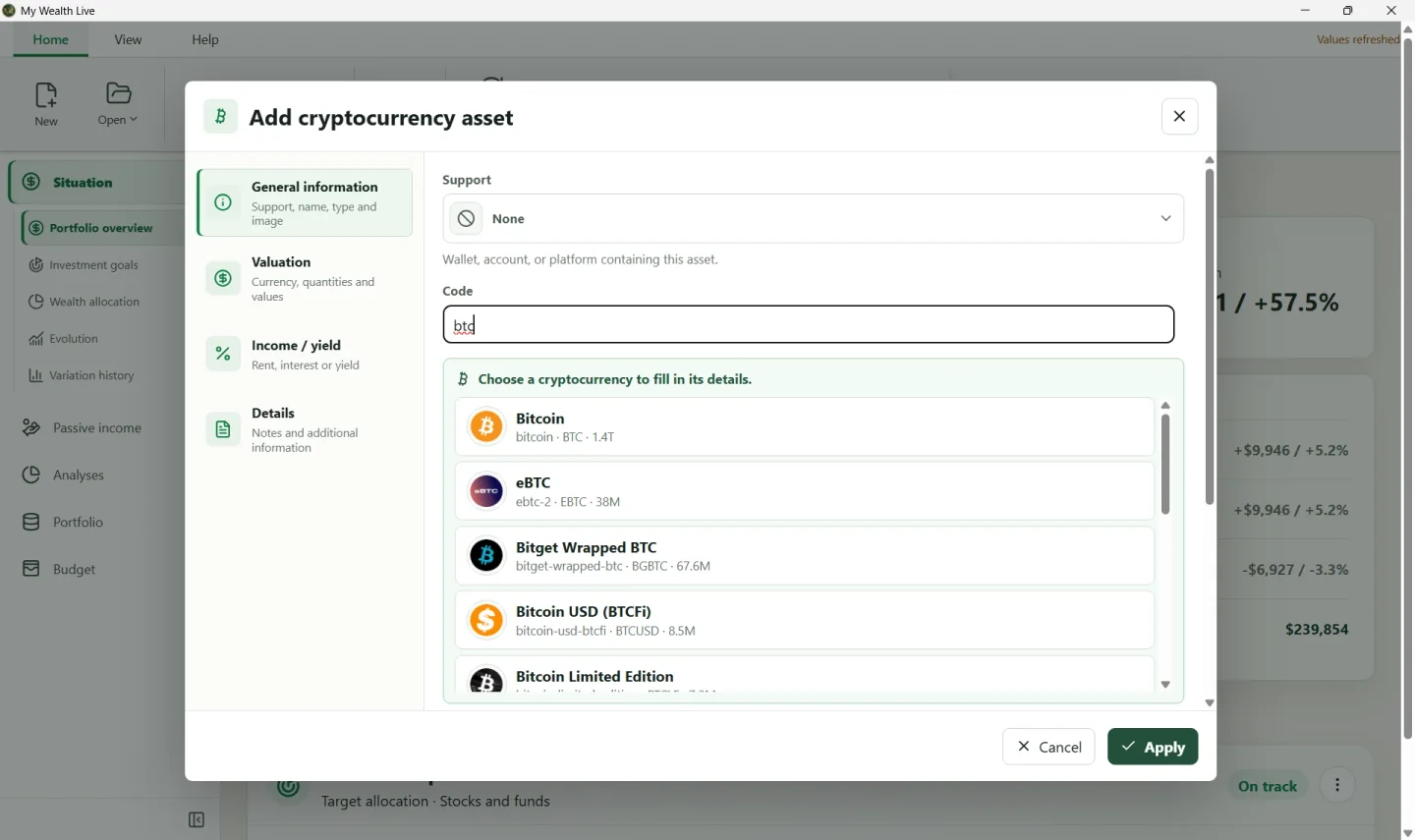
- Under General information, enter a name that identifies the item and select its support. You can choose None if you do not need to group the asset or define explicit ownership; otherwise, ownership comes from the support and not directly from the asset.
- Under Valuation, choose the quotation or account currency. Enter either a direct value, or a quantity and price when the asset type provides for them.
- Complete the income fields if the asset pays interest, dividends, or rent. This data feeds Passive income.
- Check dates, country, and family-specific information, then select Apply.
Choosing the family with an example
- Real estate for a main residence or rental property. Add rent under the asset's income and add the loan separately as a liability.
- Savings accounts for a current, joint, or savings account. An account containing USD 150 keeps
USDas its currency even if the wealth file is in EUR. - Stocks and funds for a share, ETF, or fund. For example, enter the number of ETF units and their unit price if the dialogue offers these fields.
- REIT funds (SCPI) for shares in real-estate investment companies.
- Cryptocurrencies for a quantity of bitcoin or another token. With Live, search for the asset to use the appropriate price identifier.
- Precious metals for a coin, bar, or quantity of metal. Check the metal, weight, and price currency.
- Cash investments for short-term investments.
- Other assets when no other family is suitable.
Checking after confirmation
Open Situation and check the resulting value. If you chose a support, make sure it is the correct one: this support carries the owners and their ownership shares. If the total is partial, open Properties > Exchange rates.
In the demonstration wealth file, Bitcoin, the two ETFs, the joint account, and the gold coin are separate assets. Each retains its quantity, currency, and family, then Situation brings them together in the total.
Editing or deleting
From Portfolio, open the asset action, then Edit. For a simple change in price or balance, edit the valuation instead of creating a new asset.
When deleting, carefully read the option concerning history. Deleting the current asset and erasing its former traces do not produce the same result in the evolution chart.
Automatic searches for securities, cryptocurrencies, or metals are optional and require My Wealth Live. You can always enter an asset manually.