
Connecting an external application with MCP
MCP, or Model Context Protocol, lets a compatible application running on the same computer discover the tools offered by My Wealth. It can then view the open wealth file or request a modification, within the permissions granted.
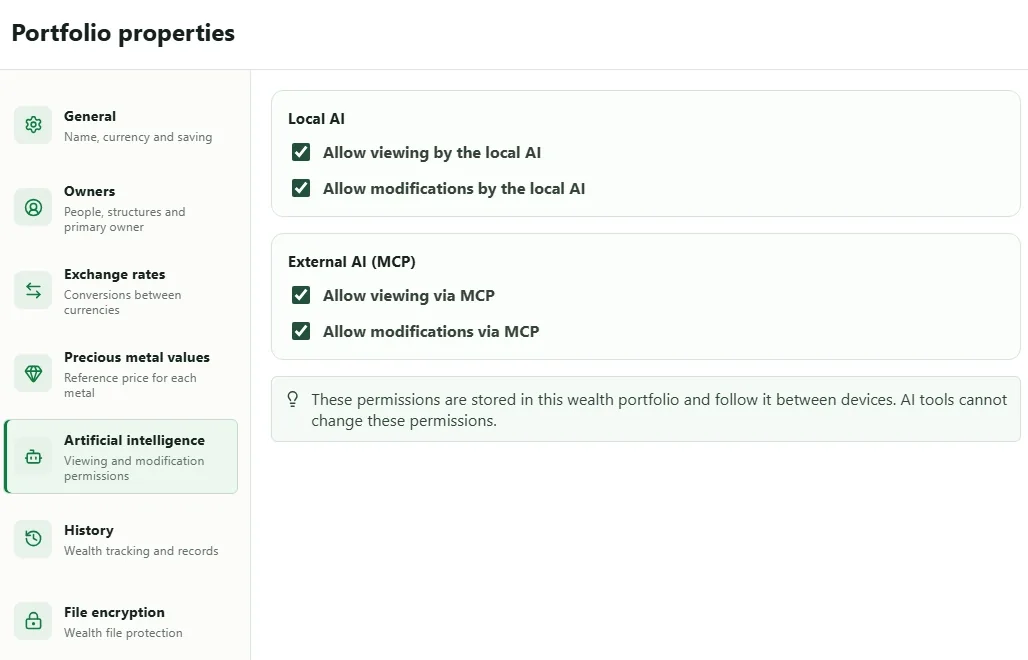
1. Preparing the wealth file and application
Before opening the connection:
- install an application that can connect to a local MCP server;
- open the
.mywealthfile to expose; - under Properties > Artificial intelligence, enable Allow viewing via MCP;
- enable modifications only if the need justifies them.
An application using an online model may transmit what it reads to that service, even though the My Wealth MCP server remains local. Therefore, consult the policy of the chosen application.
2. Starting the server in My Wealth
- Open Settings > External AI (MCP).
- Enable External MCP access.
- Keep Automatic port unless the client application requires a fixed port.
- Select Apply and start server.
- When the status changes to Running, select Copy configuration.
- Paste this configuration into the external application's MCP section, then restart it or reload its connections if requested.
The full configuration contains the address, port, and a secret token. Do not include this content in a public screenshot, Git repository, or message sent to another person.
3. Testing with a simple read
First ask the external application to summarise the wealth file or list its main families. If My Wealth shows an active connection but refuses the read, check the permission under Properties > Artificial intelligence.
For a modification, start with a reversible operation and check the result in My Wealth. MCP tools cannot grant themselves permissions, change file encryption, or administer the licence.
4. Revoking or renewing access
- Stop server closes the server until it is started again.
- Disconnect all assistants closes current connections, but an application that still has the configuration can reconnect.
- Replace access token invalidates the old configuration; then copy the new one into each authorised application.
If the application cannot connect
Check in this order: Running status, an open wealth file, the most recent configuration, unchanged address and port, then read permission. If the token was renewed, all old configurations deliberately fail.
Under Advanced settings, temporarily enable minimal logging to confirm that requests arrive, then disable it if you do not need to retain this metadata.